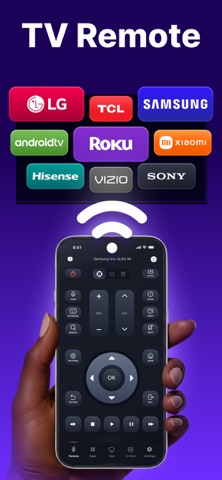
TV Remote Pro & Screen Mirror turns your iPhone into a smart TV remote — and lets you mirror your screen on the big display. Lost your remote? Tired of slow menus? Control your TV in seconds and enjoy a smoother viewing experience with a clean, fast interface. Key features - Smart TV remote control: power, volume, channels, navigation, inputs - Touchpad & keyboard for quick typing and easy browsing - Screen mirroring: share your iPhone screen on a bigger display - Media sharing: show photos & videos on TV for movie nights or family moments - Fast device discovery on the same Wi-Fi network - Minimal setup — connect and start How it works 1) Connect your iPhone and TV to the same Wi-Fi 2) Select your TV/device from the list 3) Control your TV or start mirroring Compatibility notes - Features depend on your TV model/OS and network conditions. - Some TVs support remote control only, while mirroring may require compatible technology on the TV side. Subscriptions Choose a plan that fits you: - Weekly with a 3-day free trial - Weekly - Yearly Prices are shown in the app before you purchase. Payment will be charged to your Apple ID at confirmation of purchase. Subscriptions auto-renew unless canceled at least 24 hours before the end of the current period. You can manage or cancel in Apple ID settings. Auto-renewable subscriptions renew until you choose to cancel. Privacy Policy: https://tv-remote.org/policy Terms of Service: https://tv-remote.org/terms
Utilities · iPhone, iPad · Free
Rating: 4.3 out of 5, based on 96 user ratings.