
Screenshots


About Vice Maps
Find your way around Leonida. Search GTA 6 locations, take a closer look in 3D, and plan your route.
FIND THE PLACE YOU’RE LOOKING FOR
Search places and streets, browse cities and landmarks, and see where they sit on the map. Open place details or switch to 3D to explore the surrounding terrain and buildings.
PLAN HOW TO GET THERE
Choose a starting place and destination. See the route between them, with estimated distance and travel time. Choose Driving or On Foot where supported.
KEEP PLACES FOR LATER
Bookmark places you want to revisit, or share a place with its artwork and link. Saved places stay on your device and sync through your existing iCloud account when available.
On iPhone and iPad. On iPad, browse places and plan routes in a sidebar beside the map, in portrait or landscape.
The overview map, place search, saved places, and supported route calculations work offline. Extra map and 3D detail downloads automatically when connected and stays available offline once downloaded. No app account or subscription is required.
Locations and roads are based on available game footage and mapping research. Details may change. Routes, distances, and travel times are estimates. Directions depend on the mapped road network. Vice Maps does not track your live in-game position.
Vice Maps is not affiliated with Rockstar Games or Take-Two Interactive.
AVALW Coverage
Not yet mentioned in AVALW articles.
Similar apps


 BibleProfessional AI LaboratoryDaily Bible verses, devotionals, guided prayer, and scripture answers.★ 4.9 13865k


 Bible Offline-KJV Holy BibleBíblia OfflineHoly Bible KJV App for study - share verses of the day & study the words of God.★ 4.9 11673k
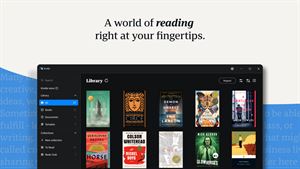
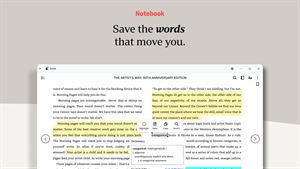
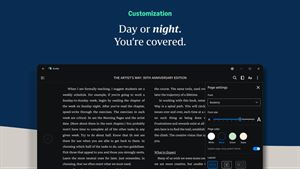
 Amazon Kindle: Reading AppAMZN KindleGot a Windows PC? You've got a Kindle. Kindle books you have bought on Amazon will automatically appear in your app. Turn your PC into a book with the free Kind★ 4.9 5867k


 Wattpad - Read & Write StoriesWattpad.comA story reading app: Read stories, novels and books, or write your own.★ 3.7 5023k


 Bible For Women-Holy Bible KJVBíblia OfflineBible verses, prayers, and daily devotionals crafted for Christian women.★ 4.9 3914k


 Al Quran IndonesiaPT Dalfindo Pustaka DigitalAl Quran dengan terjemahan Bahasa Indonesia dan terdapat Jadwal Sholat.★ 4.8 3617k


 King James Bible - Verse+AudioOzionInformative Bible KJV App. Bible study tool with audio books and daily verse.★ 4.8 2542k


 Muslim Pro: Quran Athan PrayerMD. NASAR UDDIN REDOYNurApp Muslim Pro is an all-in-one Islamic companion designed to support daily worship with accuracy, clarity, and ease of use. The app provides prayer times ba★ 4.1 1919k
More by this developer


 ISO: Pro CameraJames JacksonISO gives your photos film-style color automatically. Shoot, compare with the original, and adjust what you want. MAKE IT YOURS Adjust tone, color, and texture ★ 5.0 1


 Poddington: Podcasts up nextJames JacksonI made Poddington because I couldn't find a podcast app that was tailored to how I listen. I'm very finicky. When I start a new show, I want to choose the episo★ 5.0 1