
Screenshots


About Voice to Text: Offline AI
Voice to Text turns speech into text on your iPhone. Record with the microphone or import an audio or video file, and the transcript is made on the device by the Parakeet TDT v3 speech model. Your audio never leaves your iPhone.
RECORD AND TRANSCRIBE
• Tap Record at a meeting, a lecture or on the go.
• Import audio and video files and transcribe them.
• Works without internet after a one-time download of the speech model (about 470 MB).
• Transcribes in 25 European languages.
• No per-minute cost: transcription runs on your iPhone.
READ, SEARCH AND LISTEN
• Search across all your transcripts.
• Play recordings at 0.5× to 5× speed, scrub the waveform, or hold to scan quickly.
• Copy or share the transcript, or share the audio.
SUMMARY AND ACTION ITEMS (OPTIONAL)
• Add your own OpenAI API key to get a summary and a checklist of action items for any recording.
• Only the transcript text is sent to OpenAI, only when you ask for it, and it is billed to your own OpenAI account.
WORKS WITH VOICE TO TEXT FOR MAC (OPTIONAL)
• Voice to Text for Mac is a free, open-source dictation and meeting recording app (voicetotext.cc).
• Sign in to Tailscale inside the app and your iPhone finds your Macs.
• Start and stop a conversation recording on a Mac from your iPhone, read and play that Mac's conversations, and listen live while it records.
• Your iPhone connects straight to your own Macs over your Tailscale network.
PRIVATE BY DESIGN
• No account, no ads, no analytics, no tracking.
• Recordings and transcripts stay in the app on your iPhone.
• Free, with no subscription and no in-app purchases.
• Open source: github.com/gug007/voice-to-text
AVALW Coverage
Not yet mentioned in AVALW articles.
Similar apps


 MyJio: For Everything JioJio Platforms LimitedTrue 5G, recharges, payments & UPI, music & movies, backup, games, news & more.★ 4.4 27428k


 Microsoft WordMicrosoft CorporationThis application requires a qualifying Microsoft 365 subscription. Microsoft 365 includes premium Word, Excel, and PowerPoint apps, 1 TB cloud storage in OneDri★ 4.8 17535k



 Samsung NotesSamsung Electronics Co, Ltd.(Samsung Notes is optimized for Samsung Galaxy Books. Other computers may have issues running it.) "Samsung Notes allows you to use the enhanced S Pen to write ★ 4.8 15228k



 ChatGPT ClassicOpenAIThe official ChatGPT desktop app brings you the newest model improvements from OpenAI. Do more on your PC with ChatGPT: · Instant answers—Use the [Alt + Space] ★ 4.8 11034k


 ChatGPTOpenAI OpCo, LLCIntroducing ChatGPT for iOS: OpenAI’s latest advancements at your fingertips. This official app is free, syncs your history across devices, and brings you the l★ 4.8 11034k


 Microsoft OutlookMicrosoft CorporationOutlook helps you stay connected and organized at the office and at home with easy access to emails, files, calendar events, and contacts across all your accoun★ 4.3 10673k


 Turbo VPN: Unlimited VPN ProxyINNOVATIVE CONNECTING PTE.LIMITEDDo you want online security and privacy while browsing? Turbo VPN now provides the fastest, reliable and encrypted network. With Turbo VPN, you can get the safe★ 4.7 10243k



 Microsoft ExcelMicrosoft CorporationThis application requires a qualifying Microsoft 365 subscription. Microsoft 365 includes premium Word, Excel, and PowerPoint apps, 1 TB cloud storage in OneDri★ 4.8 9702k
More by this developer


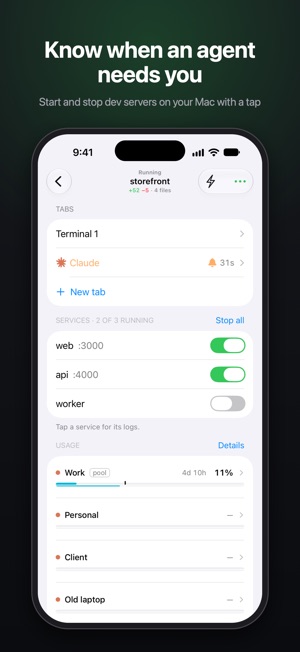
 lpm LinkGurgen Abagyanlpm Link is the iPhone companion for lpm on macOS. Pair once by scanning a QR code, then view your projects, check service status, start and stop local developm-


 KarucapatoxicGurgen AbagyanKarucapatoxic is your comprehensive real estate companion for Armenia. Browse detailed listings of new developments, track property prices, view construction ti-


 Crypto Portfolio Tracker AppGurgen AbagyanA modern, multi-portfolio cryptocurrency tracker for monitoring your investments — this app does not store, custody, or control your crypto. Track manually or c-