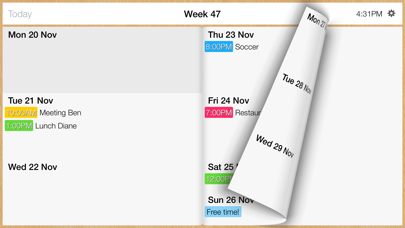
Your whole week at a glance. With Week Calendar, you can instantly see what's coming up this week. Your appointments are neatly organized in one place, so you can quickly see when you have plans and where there's still room. Handy for your own schedule and your family's appointments. ADD APPOINTMENTS QUICKLY A new appointment? Tap the day you want to plan something for and enter the name and time. Set your defaults once in the menu. That means less to fill in the next time you add an appointment. SWIPE THROUGH YOUR WEEKS See this week, look ahead or go back to a previous week. Swipe smoothly from one week to the next. The week view stays at the heart of the app, so you can quickly find what you're looking for. FOR YOU AND YOUR FAMILY A haircut, a parent-teacher meeting or dinner out: keep your personal and family appointments neatly organized in one place. Week Calendar is for people who want simple planning and a clear view of their entire week. USE YOUR EXISTING CALENDARS Week Calendar syncs with iCloud, Google Calendar and iCal, among others. Keep using the calendars you already have, with Week Calendar's week view. ON iPhone AND iPad Use Week Calendar on your iPhone and iPad, in portrait or landscape. Choose the view that suits you and keep your week close at hand. Here's what makes Week Calendar a pleasure to use every day: • Your whole week in one clear view. • Add appointments quickly by tapping a day. • Swipe smoothly forward and back through the weeks. • Set your defaults once, just the way you want them. • Sync with your existing calendars. • Support for iPhone and iPad, in portrait and landscape. Download Week Calendar for a clearer view of your week. Terms of Use https://www.apple.com/legal/internet-services/itunes/dev/stdeula/
Productivity · iPhone, iPad · Free
Rating: 4.3 out of 5, based on 19 user ratings.