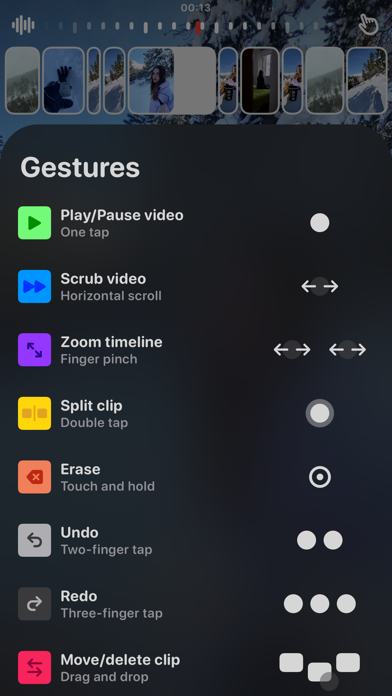
White Rabbit makes it easy to create narrative stories. Shoot and edit with powerful tools designed as intuitive gestures. Shoot · Double tap the screen to create a smooth zoom effect. · Tap or hold the record button to take different shots. · Turn pictures into videos with zoom effects. Tap the library icon and choose one of your pictures to try it out! · Tap the smiley face to follow a quick tutorial. A fast and fun way to compose your stories · Scroll through your shots to choose which moment to capture at a time. · Drag the wheel to select where to start the clip from. · Press and hold to capture the right moment with precision. Edit with gestures · Tap to play and pause the video. · Scroll horizontally to scrub the video backwards or forwards. · Pinch-to-zoom for more precision when editing. · Double tap to split a clip. · Touch and hold to erase · Tap with two fingers to undo. . Tap with three fingers to redo. · Drag and drop the clips to swap or delete them. · Tap with four fingers to hide the controls. Cinematic sounds · Tap the waveform icon to access the sound studio.
Photo & Video · iPhone, iPad · Free
Rating: 4.5 out of 5, based on 20 user ratings.