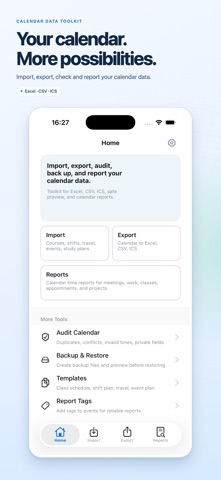
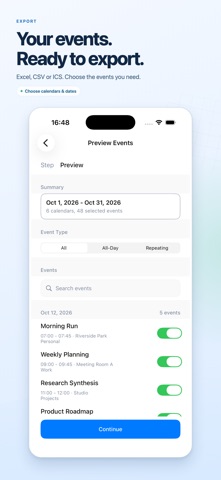
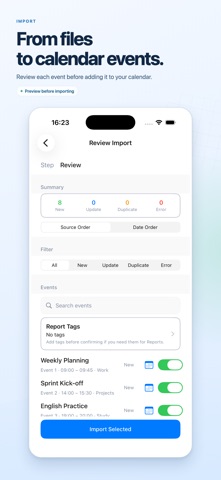
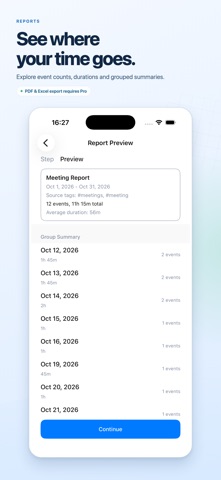
Work with your calendar data in xCalendar Lite. Import events from spreadsheets, export selected events, check calendar data, and turn schedules into useful reports. IMPORT AND EXPORT Import events from Excel (.xlsx), CSV and ICS files. Preview records, map spreadsheet columns, choose target calendars, and review issues before importing. Export events from selected calendars and date ranges to Excel, CSV or ICS. CHECK YOUR CALENDARS Review potential duplicates, overlapping events, invalid event times and sensitive fields. Inspect the results before deciding what to change or share. BACK UP AND RESTORE Create backup files for selected calendars. Preview backup contents and choose how to restore events to writable calendars. CREATE REPORTS Explore event counts, scheduled durations and grouped summaries. With Pro, generate PDF and Excel reports for sharing or archiving. Reports summarize calendar entries; they do not verify attendance or completed work. START WITH TEMPLATES Generate Excel import templates with a field guide and optional sample rows. Fill in your events, then return to the import workflow. FREE AND PRO The free version lets you import or export up to 50 events per operation. Calendar checks, backup and restore, templates, and report previews are available free. Pro is an optional one-time in-app purchase. It removes the 50-event import and export limit and unlocks PDF and Excel report generation. There is no subscription. Restore your Pro purchase using the same App Store account. LANGUAGES AND PRIVACY The app interface supports English and Simplified Chinese. No xCalendar account is required. Calendar files are processed on your device. Your selected calendar provider may sync events, and you choose when to share exported files.
Productivity · iPhone, iPad · Free
Rating: 3.6 out of 5, based on 5 user ratings.