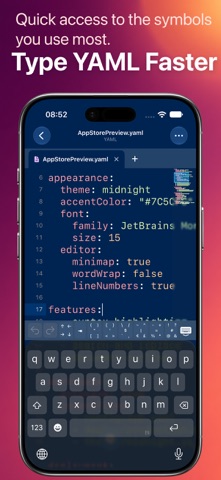
Open, edit, and inspect YAML configuration files on iPhone and iPad with a focused native editor built for .yaml and .yml documents. EDIT YAML WITH CLARITY • Fast YAML syntax highlighting • Line numbers and current-line highlighting • Find and replace with case, whole-word, and regular-expression options • Adjustable font size, line spacing, margins, and tab width • Optional invisible characters, word wrap, and minimap EXPLORE THE DOCUMENT TREE Turn nested mappings and sequences into a readable tree view. Use the tree navigator as a document outline without losing your place in the source code. Display the full path for any node, then copy its path, key, or scalar value when you need it elsewhere. WORK WITH REAL CONFIGURATION FILES Use YAML Editor for Kubernetes manifests, Docker Compose files, Ansible playbooks, CI/CD pipelines, app settings, and other YAML-based configuration. The editor keeps the original text available, so comments and formatting remain visible while you work. OPEN FILES WHERE THEY LIVE Create YAML documents or open existing files through the Files app and compatible file providers. Core document editing and tree inspection work offline. Transfer local files through a browser on your local network when needed. MAKE THE EDITOR YOURS Choose an editor theme and tune the reading experience for short snippets or long production configuration files. YAML Editor is free to use. A one-time lifetime purchase removes ads.
Developer Tools · iPhone, iPad · Free