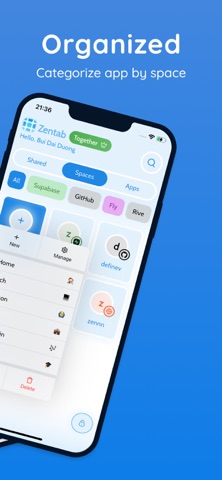
Zentab – Multi App Cloner & Dual Login Multiple accounts. One device. Total control. Zentab Local helps you manage multiple accounts on the same website without repeatedly signing in and out. Create an independent app instance for each account and keep your sessions separate. Use one space for work, another for personal accounts, and another for each client or storefront. With Zentab Local, you can: • Separate login sessions for the same website • Open and switch accounts quickly • Save services, entries, spaces, categories, and bookmarks on your device • Organize frequently used websites in one focused workspace • Protect access with PIN or biometric authentication • Customize your workspace with themes No Zentab account is required to get started. Local manages your catalog and session data on this device and does not automatically sync or copy it to Zentab Cloud. Start with Local for free. When you need more, Local Lifetime unlocks unlimited app instances, App Shortcuts, and bookmarks with one purchase. Use Restore Purchases to recover the entitlement on a supported device. Need to work across devices or share a session with teammates? Switch to Zentab Cloud whenever you need cross-device sync or sharing. Support: support@zentab.app Terms: https://zentab.app/terms Privacy: https://zentab.app/privacy
Social · iPhone, iPad, Android · Free
Rating: 4.4 out of 5, based on 72 user ratings.