
Screenshots


About PaperClerk — Smart Doc Filer
PaperClerk turns the chaos of receipts, bills, and business paperwork into a consistently organized library — without turning your phone into an accounting app.
CAPTURE IN SECONDS
• Share any PDF or photo to PaperClerk from Mail, Messages, Files, or your camera — or scan a paper document on the spot.
• No receipt at all — cash, a split bill, a tip? Log the expense directly: amount, merchant, category, done. No photo, no file, and it's free.
• Add an expense straight from the Action Button, Control Center, or a Shortcut — Personal or Business — without opening the app first.
• Process right away or leave it in your Inbox for later. Nothing is lost.
Get this Shortcut: https://www.icloud.com/shortcuts/b1c43cdb91e349f99da892343786f8de
ON-DEVICE AI DOES THE FILING
Requires iOS 26 or later. On an Apple Intelligence–compatible iPhone or iPad, Apple Intelligence and on-device Vision OCR read each document right on your phone — vendor, date, amount, currency, and document type — and suggest a filename and folder in seconds. Your documents are never uploaded anywhere to be filed. On a device without Apple Intelligence, PaperClerk still scans and files every document — you'll just fill in a few more fields yourself, mainly the document type, since that's the one AI hint OCR text alone can't reliably guess.
SET A PATTERN ONCE, REUSE IT FOREVER
Teach PaperClerk a vendor's filename and folder pattern once — for example, "Electric Co + Account 1234 → Bills/Utilities/{date} {vendor}" — and it recognizes that vendor or account automatically next time. Just confirm and file.
NEVER LOSE TRACK OF WHAT'S PENDING
PaperClerk isn't just storage — it watches what still needs action:
• Bills you've marked unpaid stay visible until you mark them paid.
• Claims you haven't submitted yet stay in a queue until you do.
• Business documents you're waiting on — approvals, follow-ups — surface in one place instead of buried in a folder.
Tap any pending item to reshare the file and its extracted details with your bank, employer, or colleague.
SEE HOW DOCUMENTS CONNECT
Link a bill to its payment, or trace a Purchase Order through Delivery Order, Invoice, and Payment. PaperClerk suggests likely matches from shared references so a paper trail stays connected instead of scattered across separate files.
BUILT-IN PRIVACY CONTROLS
Hide amounts across the entire app until you unlock with Face ID, Touch ID, or your passcode — handy for screen sharing or a shared device.
PRO — FOR REGULAR USE AND SMALL BUSINESS
• Unlimited document processing and batch imports (free: 20/month, one at a time)
• Duplicate detection
• Full CSV/SQLite export and batch ZIP export (free: last 30 days)
• Multi-currency conversion using the exchange rate on the document's actual date
• Custom document types, purposes, and categories
• iCloud sync across iPhone, iPad, and Mac
Monthly, Annual, or a one-time Lifetime purchase — your choice, no forced subscription.
No account or sign-in required. Your documents stay on your device, and in your own iCloud if you turn sync on.
PaperClerk is a filing and follow-up tool, not a bookkeeping or tax-prep app — export your data anytime to the accounting tool you already use.
Privacy Policy: https://mlt-solutions.github.io/app-legal-docs/paperclerk/PRIVACY
Terms of Service: https://mlt-solutions.github.io/app-legal-docs/paperclerk/TERMS
AVALW Coverage
Not yet mentioned in AVALW articles.
Similar apps


 MyJio: For Everything JioJio Platforms LimitedTrue 5G, recharges, payments & UPI, music & movies, backup, games, news & more.★ 4.4 27428k


 Microsoft WordMicrosoft CorporationThis application requires a qualifying Microsoft 365 subscription. Microsoft 365 includes premium Word, Excel, and PowerPoint apps, 1 TB cloud storage in OneDri★ 4.8 17535k



 Samsung NotesSamsung Electronics Co, Ltd.(Samsung Notes is optimized for Samsung Galaxy Books. Other computers may have issues running it.) "Samsung Notes allows you to use the enhanced S Pen to write ★ 4.8 15228k



 ChatGPT ClassicOpenAIThe official ChatGPT desktop app brings you the newest model improvements from OpenAI. Do more on your PC with ChatGPT: · Instant answers—Use the [Alt + Space] ★ 4.8 11034k


 ChatGPTOpenAI OpCo, LLCIntroducing ChatGPT for iOS: OpenAI’s latest advancements at your fingertips. This official app is free, syncs your history across devices, and brings you the l★ 4.8 11034k


 Microsoft OutlookMicrosoft CorporationOutlook helps you stay connected and organized at the office and at home with easy access to emails, files, calendar events, and contacts across all your accoun★ 4.3 10673k


 Turbo VPN: Unlimited VPN ProxyINNOVATIVE CONNECTING PTE.LIMITEDDo you want online security and privacy while browsing? Turbo VPN now provides the fastest, reliable and encrypted network. With Turbo VPN, you can get the safe★ 4.7 10243k



 Microsoft ExcelMicrosoft CorporationThis application requires a qualifying Microsoft 365 subscription. Microsoft 365 includes premium Word, Excel, and PowerPoint apps, 1 TB cloud storage in OneDri★ 4.8 9702k
More by this developer
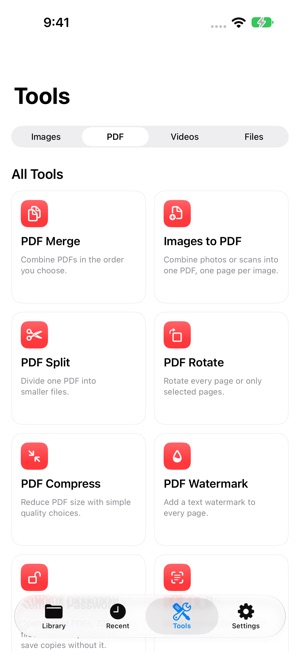

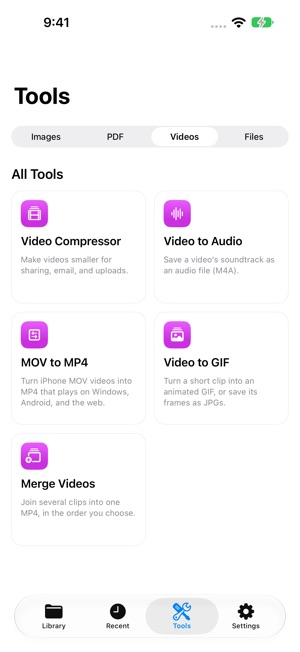
 LokalTools: Photo & PDF ToolsKIEN WEI CHOOPaperwork often comes with a very specific request. Make a passport photo, lay out an ID card or passport on A4, or add a text watermark to a PDF—right when you-


 Kitty GambitKIEN WEI CHOOKitty Gambit is a calm focus timer built around an ambient tabletop scene. Start a work session, choose your companion cats, and let them play chess or checkers-


 ContentCue: Read & ListenKIEN WEI CHOOContentCue is a mobile browser, RSS reader, and podcast player — all in one app. Read, listen, and never lose your place. IMMERSIVE WEB READER Browse any websit-


 GrepTag: Search & Tag BooksKIEN WEI CHOOGrepTag is a keyword-scanning and tagging utility for your local TXT and EPUB files. Point it at your collection, search inside every file, and let it tag your -