
Screenshots
About AI Master - Chatbot Assistant
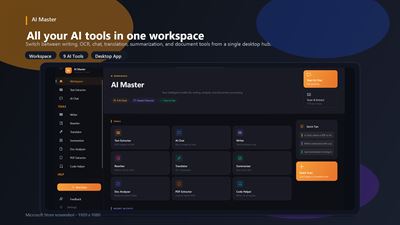
Meet AI Master — the intelligent Windows desktop toolkit built for people who work with documents, text, images, and code every day.
Whether you're extracting text from a scanned receipt, drafting a professional email, translating a legal clause, or debugging a Python function, AI Master brings the full power of Claude AI directly to your desktop — no browser tab required, no copy-paste juggling, no subscription needed to get started.
One app. Nine powerful AI tools. Unlimited productivity.
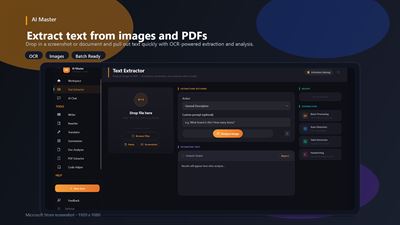
✦ TEXT EXTRACTOR — Turn Any Image Into Editable Text
Point AI Master at a photo, screenshot, scanned document, or PDF and it reads every character — instantly. Using a combination of on-device Windows OCR and cloud AI vision, the Text Extractor handles everything from crisp receipts to messy handwriting.
How to use it:
Drop a file onto the app or click Browse to select an image or PDF. Choose an action — extract plain text, detect and label objects, answer a custom question about the image, or translate what's on screen. Hit Analyze and watch the full AI-powered transcription appear in seconds. From there, copy the result, save it as a .txt file, send it to AI Chat for further questions, or push it straight to Translator or Writer.
What it handles:
PNG, JPG, TIFF, and multi-page PDF files up to 50 MB. Receipts, business cards, screenshots, whiteboards, handwritten notes, scanned contracts, signage, and printed documents in 140+ languages. It even extracts tables and converts them to structured, clean output.
✦ AI CHAT — Talk to Your Documents, Images, and the Web
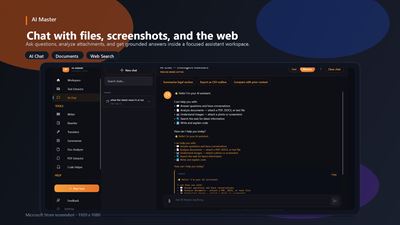
AI Master's AI Chat is a full-featured Claude-powered assistant that understands not just text, but your files and the live internet too. Ask it anything — get structured, sourced, beautifully formatted answers.
How to use it:
Open AI Chat and start typing, or attach a file. Drag in a PDF, Word document, image, or screenshot using the paperclip icon. The AI reads the entire document and answers your questions about it with key takeaways first, citations inline. Enable web search and the assistant searches the internet in real time, scrapes relevant pages, and weaves the results into its answer — all in a single response.
What makes it special:
Switch between Fast (quick) and Precise (deepest reasoning) modes per message. All conversations are saved automatically — pin important ones, browse by date, or resume any session from the sidebar. Assistant replies parse fenced code blocks into copyable sections. Regenerate any response, rate individual messages, or send the output to any other tool in one click.
✦ AI WRITER — Draft Polished Copy in One Pass
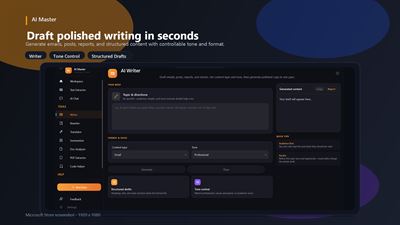
From short social posts to long-form reports, AI Writer generates professional, on-brand content from a simple brief. Give it a topic, tone, and target length — and it delivers structured, ready-to-use text.
How to use it:
Open Writer and describe what you need in the brief field. Specify the audience, required length, tone (formal, friendly, persuasive, technical), and any must-include details. Press Generate and the AI composes a complete draft instantly. Edit it inline in the output card, copy the full text, or send it directly to Rewriter if you want to refine the tone further.
Ideal for: emails, product descriptions, LinkedIn posts, cover letters, blog introductions, meeting agendas, announcements, and marketing copy.
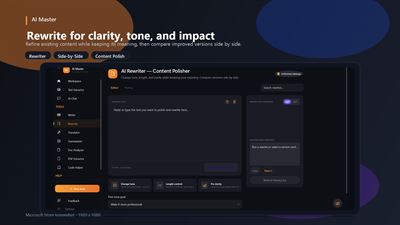
✦ AI REWRITER — Improve, Refine, and Transform Any Text
Paste existing content and instantly reshape it — cleaner, more professional, in a different tone, or adapted for a completely different audience. Rewriter doesn't just correct grammar; it understands your intent and rewrites with purpose.
How to use it:
Paste your existing text into the input field and choose a rewrite style — professional, casual, concise, expanded, simplified, persuasive, or academic. The AI rewrites your content while preserving meaning. Compare the before and after side by side, copy the improved version, or chain it forward to Translator to deliver it in another language.
Perfect for: improving first drafts, converting informal notes into formal documents, simplifying technical language for general audiences, making marketing copy punchier, or academically rephrasing student work.
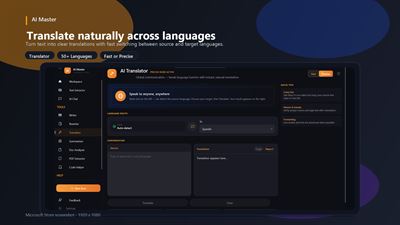
✦ TRANSLATOR — 50+ Languages, Two Speed Modes
Translate any text accurately and naturally with Fast (instant, lightweight) or Precise (nuanced, highest fidelity) modes — so you match the right speed to the right task.
How to use it:
Paste your text or send it from another tool. Select your target language from 50+ options. Choose Fast for quick general translations or Precise for legal, medical, technical, or literary content where nuance matters. The translation appears immediately, ready to copy. Run your extracted OCR text through Translator in one tap to go from a foreign-language image to readable English — or any other language — without leaving the app.
Supported languages include: English, Spanish, French, German, Italian, Portuguese, Dutch, Russian, Chinese (Simplified & Traditional), Japanese, Korean, Arabic, Hindi, Turkish, Polish, Swedish, Danish, Finnish, Norwegian, Greek, Hebrew, Vietnamese, Thai, Indonesian, Malay, and many more.
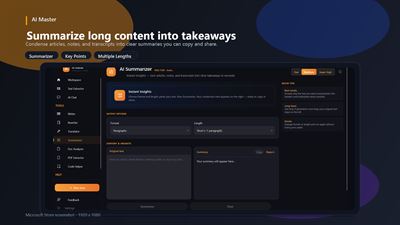
✦ SUMMARIZER — Key Points in Seconds, Not Hours
Feed AI Master a long article, report, meeting transcript, or research paper and get back a structured summary — with the most important points ranked and clearly formatted.
How to use it:
Paste your content or send it from AI Chat or Text Extractor. Choose your quality level: Fast (quick bullet points, ideal for emails and news articles), Medium (structured summary with section breakdown, ideal for reports), or Super High (deep analysis with key arguments, evidence, and conclusions — ideal for academic papers or legal filings). Press Summarize and your condensed version appears ready to copy or export.
Where it saves hours: board meeting notes → executive brief, 50-page research report → 5-bullet summary, lengthy legal agreement → plain-language overview, full podcast transcript → shareable takeaways.
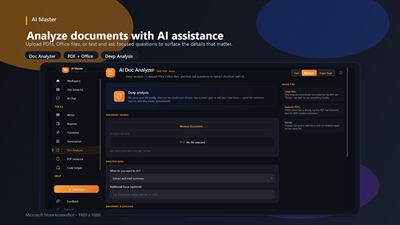
✦ DOCUMENT ANALYZER — Deep Q&A on Any Document
Upload a document and interrogate it like a research assistant. Ask specific questions, request comparisons, extract structured data — the AI finds the answers inside your content.
How to use it:
Paste or attach your document text. Ask any question in plain English: "What are the payment terms?", "Summarize section 3", "List all action items", "Does this contract include a liability cap?". Choose your analysis depth — Fast for quick lookups, Medium for thorough reading, Super High for comprehensive multi-pass analysis of complex documents. The AI responds with precise, document-grounded answers.
Use cases: contract review, research synthesis, policy comparison, due diligence reading, compliance checking, invoice verification, and literature review.
✦ PDF EXTRACTOR — Pull Every Word From Any PDF
AI Master extracts clean, structured text from PDF files using two powerful modes: on-device Local OCR for maximum privacy, and Cloud Vision OCR for scanned or image-heavy PDFs where accuracy is critical.
How to use it:
Drag and drop a PDF or browse to select one. Switch between Local (processes entirely on your device — nothing leaves your computer) and Vision (sends pages to AI for highest accuracy on complex scans and handwriting). The extractor processes each page in order — cancel at any time if you only need the first few pages. When done, review and edit the extracted text, then save it as a .txt file with one click.
Handles: scanned PDFs, native digital PDFs, multi-page documents, tables, mixed-language content, and image-heavy layouts that standard copy-paste completely misses.
✦ CODE HELPER — Write, Fix, and Explain Code Instantly
A focused AI coding assistant that understands your problem and generates working, documented code in seconds. Supports dozens of languages and includes a favorites system so you keep your best snippets one click away.
How to use it:
Open Code Helper and describe what you need in plain language: "Write a Python function that reads a CSV and returns rows where column B exceeds 100" or "Explain what this SQL query does" or "Fix the bug in this JavaScript". Select your programming language, choose an action (generate, explain, fix, optimise, document), and hit run. The output appears in a dedicated code panel with syntax clarity, ready to copy. Save any result as a Favorite to access it instantly from the sidebar.
Languages supported: Python, JavaScript, TypeScript, C#, Java, Go, Rust, Swift, Kotlin, SQL, HTML/CSS, PHP, Ruby, C/C++, PowerShell, and more.
WHY AI MASTER?
🔒 Privacy-first: Local OCR mode processes files entirely on your device. No data leaves your machine unless you choose the cloud-powered Vision mode.
⚡ Genuinely fast: Streaming responses start appearing in under a second. Progress animations keep you informed. Cancel any operation at any time.
🗂 Everything saved automatically: Every chat, extraction, translation, and writing session is stored locally. Resume any previous session with one click from the history sidebar.
🔗 Tools that talk to each other: Extract text from an image → translate it → send it to Writer to polish it → copy the final version. Every tool has Send To buttons that pass your content forward without copy-pasting.
🖥 Built for Windows: Native UWP application. Keyboard shortcuts, drag-and-drop everywhere, Windows OCR integration, dark mode, and full DPI scaling on any display.
AVALW Coverage
Not yet mentioned in AVALW articles.
Similar apps


 MyJio: For Everything JioJio Platforms LimitedTrue 5G, recharges, payments & UPI, music & movies, backup, games, news & more.★ 4.4 27428k


 Microsoft WordMicrosoft CorporationThis application requires a qualifying Microsoft 365 subscription. Microsoft 365 includes premium Word, Excel, and PowerPoint apps, 1 TB cloud storage in OneDri★ 4.8 17535k



 Samsung NotesSamsung Electronics Co, Ltd.(Samsung Notes is optimized for Samsung Galaxy Books. Other computers may have issues running it.) "Samsung Notes allows you to use the enhanced S Pen to write ★ 4.8 15228k



 ChatGPT ClassicOpenAIThe official ChatGPT desktop app brings you the newest model improvements from OpenAI. Do more on your PC with ChatGPT: · Instant answers—Use the [Alt + Space] ★ 4.8 11034k


 ChatGPTOpenAI OpCo, LLCIntroducing ChatGPT for iOS: OpenAI’s latest advancements at your fingertips. This official app is free, syncs your history across devices, and brings you the l★ 4.8 11034k


 Microsoft OutlookMicrosoft CorporationOutlook helps you stay connected and organized at the office and at home with easy access to emails, files, calendar events, and contacts across all your accoun★ 4.3 10673k


 Turbo VPN: Unlimited VPN ProxyINNOVATIVE CONNECTING PTE.LIMITEDDo you want online security and privacy while browsing? Turbo VPN now provides the fastest, reliable and encrypted network. With Turbo VPN, you can get the safe★ 4.7 10243k



 Microsoft ExcelMicrosoft CorporationThis application requires a qualifying Microsoft 365 subscription. Microsoft 365 includes premium Word, Excel, and PowerPoint apps, 1 TB cloud storage in OneDri★ 4.8 9702k
More by this developer
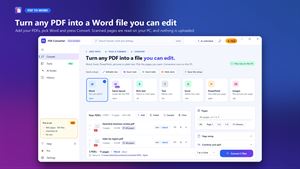
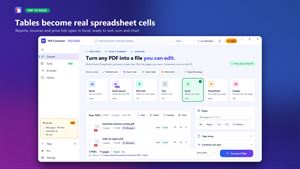
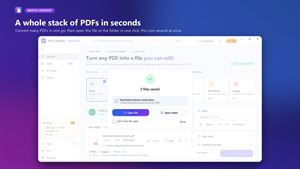
 PDF Converter: PDF File ConverterfinetuneappsPDF Converter turns PDFs into files you can edit: Word documents, Excel spreadsheets, PowerPoint slides, rich text, plain text or page images. Add one PDF or a ★ 4.6 131
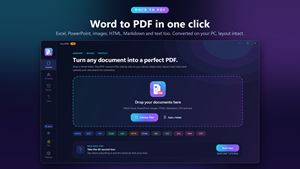
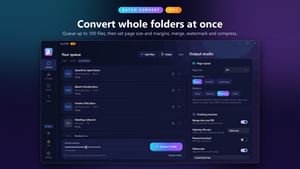

 Pro DOCX To PDF ConverterfinetuneappsDoc2PDF is an elegantly designed document conversion application that supports a wide range of formats, including but not limited to Word, PDF, Excel, and image★ 4.6 370
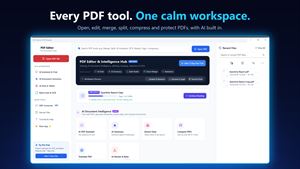
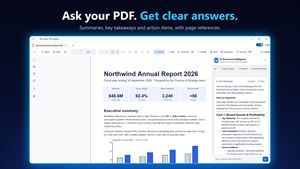
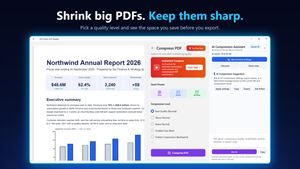
 PDF Editor: PDF ReaderfinetuneappsPDF Editor: PDF Reader is a fast, native Windows app for everything you do with PDFs: read, annotate, fill and sign forms, merge and split pages, protect files,★ 4.1 359
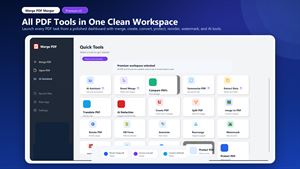
 Merge PDF: Combine PDF filesfinetuneappsMerge PDF Merger is an all-in-one PDF productivity app for Windows 10/11. It is built for fast, practical document work: combining files, editing pages, creatin★ 4.6 1.2k